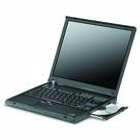
Laptop Screens, Flat Screens, CRT Screens – all servicable items with replacement new or refurbished spare parts from Microbite.We can supply TFT LCD Active Matrix XGA WXGA SXGA for almost any make or model.
Laptop Screen Problems?
First check that it is a problem with the screen itself. Plug an external monitor into the laptop computer. If the external monitor displays output correctly, it is highly likely that the problem is concerned with the laptop screen.
If the screen is very dark but still shows the correct infomation as far as can be seen, it might be the panel light that has gone. Alternatively the power supply to the panel light might be faulty.
There may be a problem with the connection to the screen. This might lead to a lit up screen with no image or a dark screen with no image. See if anything changes by adjusting the position of the screen. This may indicate a faulty connection.
The screen may have areas of image missing or incorrect display or areas of lines or missing image. This would suggest that the main area of the screen itself is faulty.
It is worth checking also that you have the correct software driver loaded and that is not corrupted.